
mkadr Field
Staff record visits and completed tasks as they go. Managers can see what's done and what still needs attention, without chasing end-of-day reports.
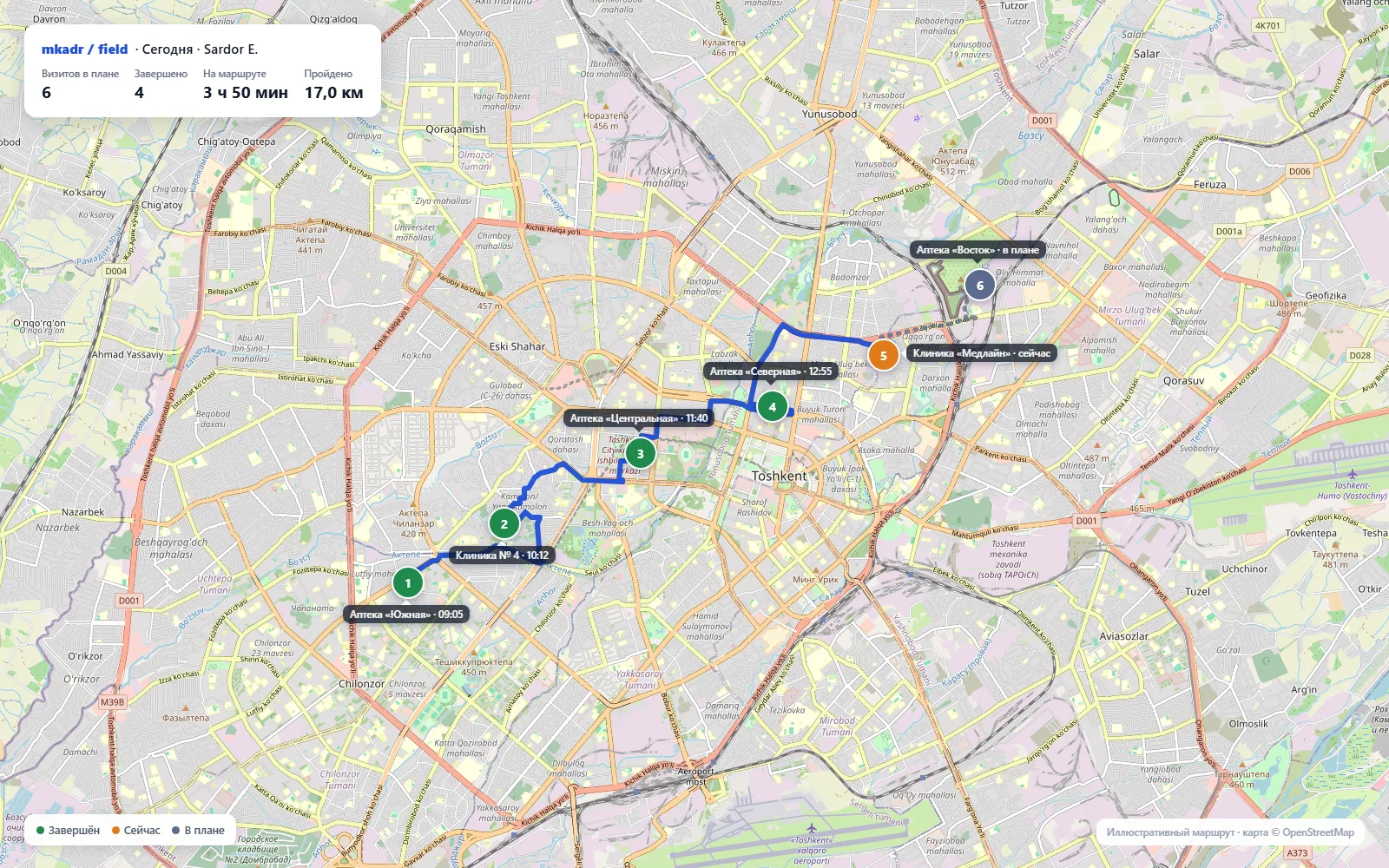
Finish a visit. Move on.
No need to piece the day back together after work.
- 09:00
Before heading out
The day's route and locations are ready.
- 10:12
On site
Record the visit and the work completed.
- 10:14
After the visit
Add a quick summary or a voice note with a tap.
Managers spend less time chasing updates.
The important details are together. Review the day, check completed visits and spot the tasks that need attention.
Routes
Where work happened and when.
Visits
Which locations were covered and what happened there.
Follow-ups
What needs doing after each visit.
For teams that work across locations.
If your team follows routes, visits sites and completes tasks, Field keeps the day organized.
Sales teams
Client visits, agreements and return visits.
Field service
Service calls, completed work and next steps.
Merchandisers and auditors
Site checks, assigned tasks and visit outcomes.
Location is recorded only during the workday. Employees start voice notes themselves. If the network drops, events sync when connectivity returns.
60,000 UZS
per employee, per month
Routes, visits, tasks and field-work reports in one product.
600,000 UZS per year — 12 months for the price of 10.
Price valid through December 31, 2026.
Questions
Can we use Field without HRM?
Yes. Field works on its own. You can also use Field and HRM together.
What happens without internet?
The app keeps work events on the device and syncs them when the connection returns.
Which devices work?
Compatible Android phones and tablets. We'll check your device before rollout.
See Field on your team's routes.
Tell us where your team goes and how they report back today. We'll show you a simpler way to work with Field.